Chrome Extension — Free

Write Better Prompts,
Get Better Results

Real-time feedback as you type. Like Grammarly, but for AI prompts. Works with Claude, ChatGPT, and Gemini.

LLM-Specific Checklists

Auto-detects which AI you're using and shows the recommended prompt framework with examples and documentation links.

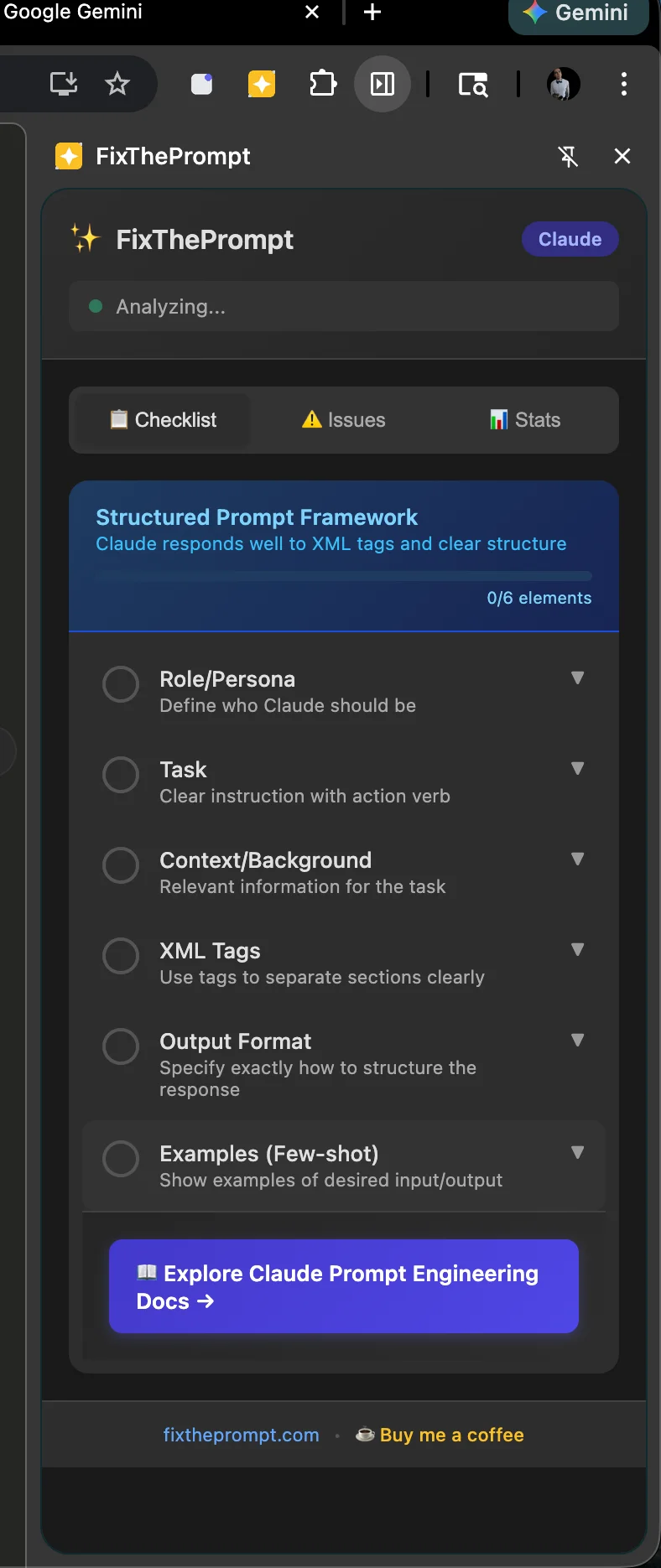
Claude

Structured Prompts

  • Role/Persona
  • Task
  • Context
  • XML Tags
  • Output Format
  • Examples
View official docs →
ChatGPT

Role-Task-Context

  • Role
  • Task
  • Context
  • Constraints
  • Output Format
View official docs →
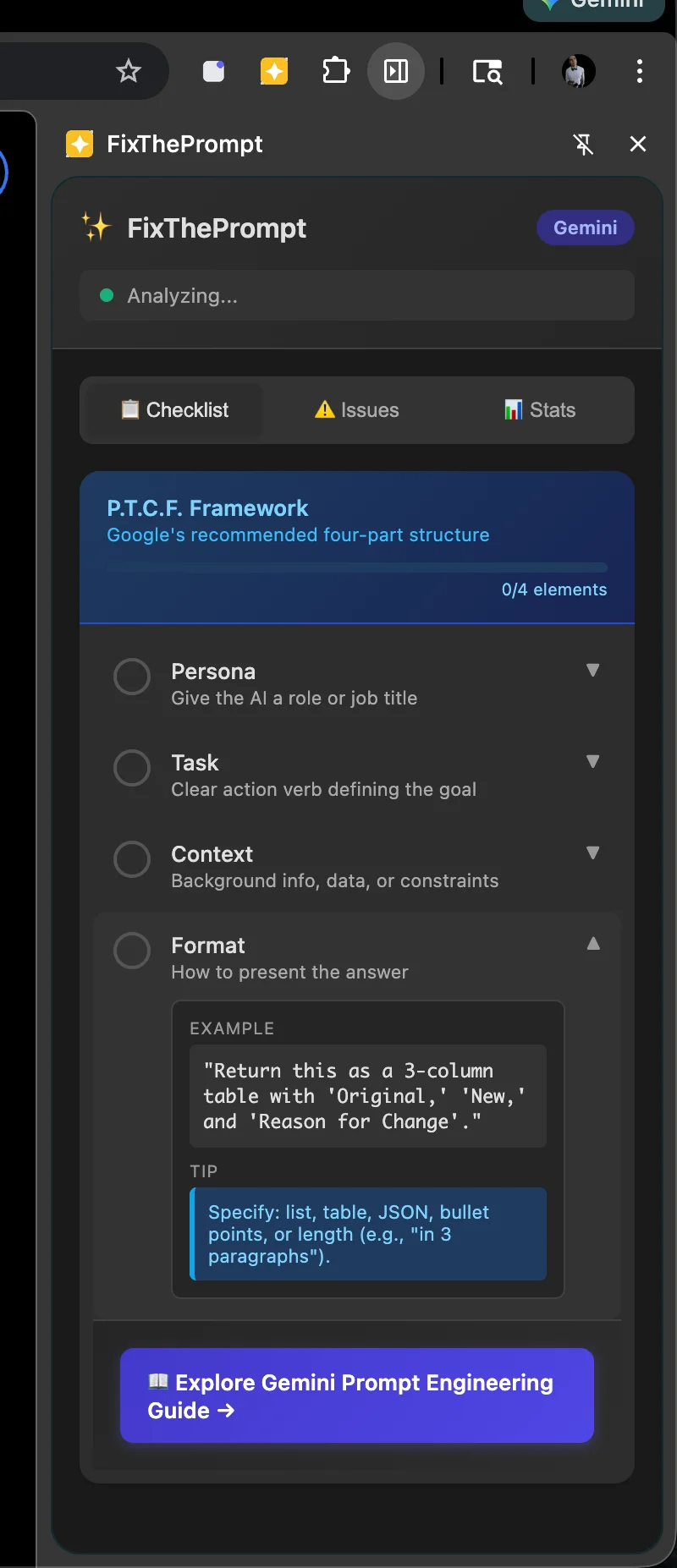
Gemini

P.T.C.F.

  • Persona
  • Task
  • Context
  • Format
View official docs →
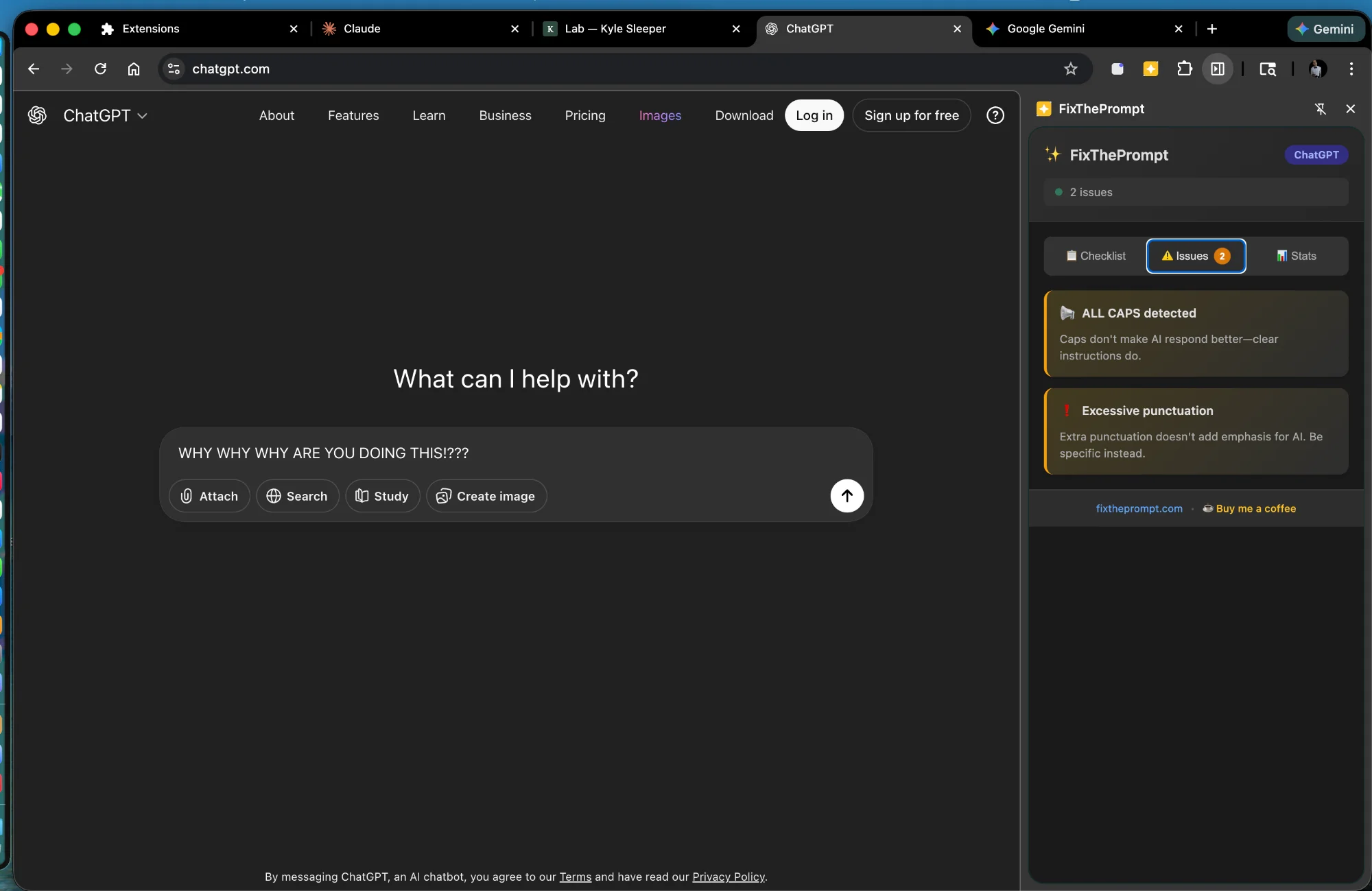
FixThePrompt detecting issues in ChatGPT
Claude Structured Prompt Framework checklist
Gemini P.T.C.F. Framework with expanded tips
Extension popup with display mode options

Extension popup

Gemini side panel checklist

Gemini checklist

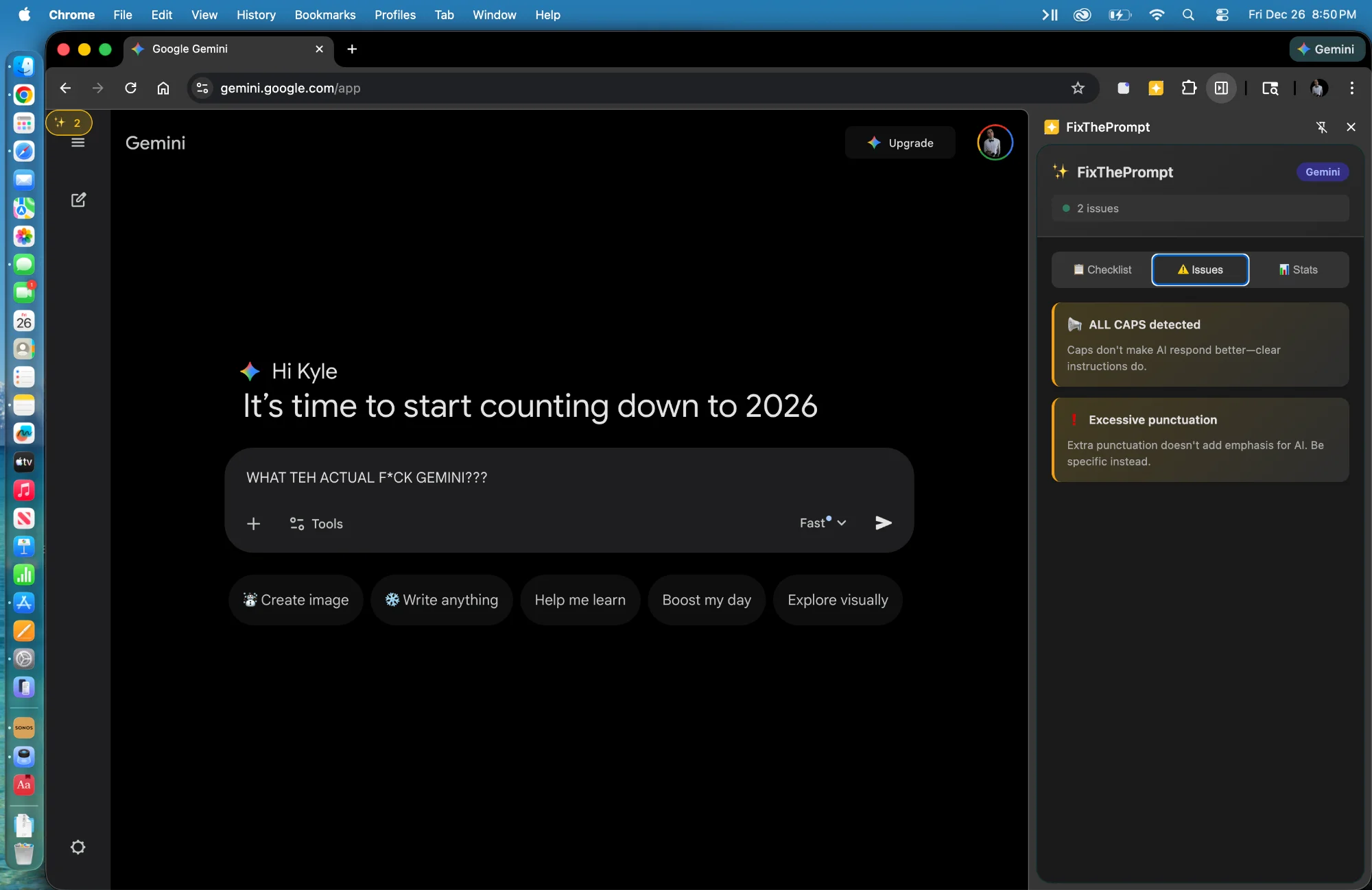
FixThePrompt on Gemini detecting issues

Issue detection

Everything You Need to Prompt Better

23 heuristics analyze your prompts in real-time, catching common mistakes before you hit send.

🎯

Clarity Detection

Catches vague requests like "make it better" and suggests specific alternatives.

📋

LLM-Specific Checklists

Auto-detects Claude, ChatGPT, or Gemini and shows the right prompt framework.

Real-Time Analysis

Feedback appears as you type—no need to submit or click anything.

🔒

Privacy First

All analysis happens locally. Your prompts never leave your browser.

📚

Built-in Docs

Links to official prompt engineering guides for each AI platform.

🎨

Multiple Display Modes

Choose inline badge, top bar, or Chrome side panel.

Catches 23 Common Mistakes

From vague requests to missing context—we've got you covered.

🎯
"make it better"

Vague improvement

🔢
"give me ideas"

No constraints

👆
"fix this"

Ambiguous pronoun

📢
"HELP ME!!!"

ALL CAPS detected

🏆
"the best way"

Superlative without criteria

🔙
"as we discussed..."

Assuming prior context

...and 17 more heuristics for comprehensive coverage

Three Ways to See Suggestions

Choose the display mode that fits your workflow.

Inline Badge

Subtle sparkle near the input field. Click to expand suggestions.

📊

Top Bar

Slides down from the top with quick suggestion previews.

📋

Side Panel

Full checklist view with tips, examples, and session stats.

Ready to Level Up Your Prompts?

Install the extension and start getting real-time feedback on your AI prompts today.

Works on claude.ai • chat.openai.com • chatgpt.com • gemini.google.com